Best Free Camping Apps for Boondocking: 2026 Comparison
Compare the best free camping and boondocking apps in 2026, including Campendium, iOverlander, The Dyrt, onX Offroad, and Recreation.gov.

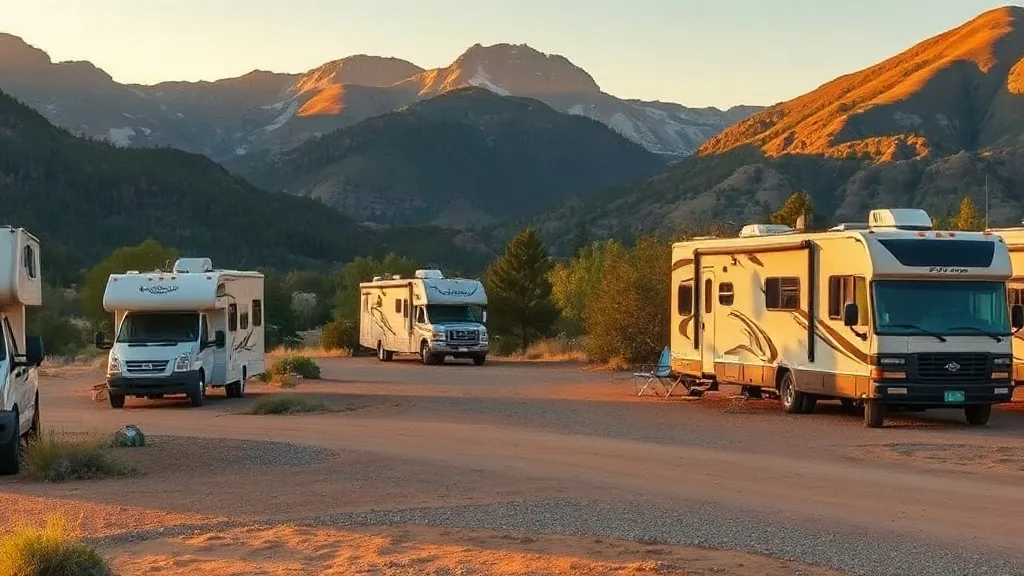
Campendium is the best free camping app to open first for a US boondocking search. Its free tier combines campground and public-land listings with recent reviews, photos, dump stations, and cell-coverage reports. It is not the only app you should carry: pair it with an official land-manager map, use Recreation.gov for reservable federal backups, and add a paid offline map when the route leaves cell service.
The free-versus-paid line has also changed. Campendium’s useful free tier remains, but its current RV Pro plan is $59.99 per year or $19.99 per month. The Dyrt PRO is $59.99 per year after its trial. iOverlander’s base app is free, but advanced offline maps and land layers are paid. onX Offroad has a real free tier, while the public-land and unlimited-offline features most boondockers want begin with Premium at $34.99 per year.
Prices and features below were checked against each company’s official pages on August 5, 2026. App subscriptions change, so verify the checkout screen before paying.
Related guides: Is Thousand Trails Worth It? Camping Pass Zones, Membership Levels & Who Should Buy (2026) · KOA Campgrounds Guide: Journey vs Holiday vs Resort, Rewards & Booking Tips (2026)
The quick comparison
| App | Useful free access? | Current paid price | Offline use | Public-land help | Best use |
|---|---|---|---|---|---|
| Campendium | Yes | RV Pro: $59.99/yr or $19.99/mo | Offline maps listed as coming soon | Listings free; enhanced layers in Pro | Best free first search |
| Recreation.gov | Yes | No app subscription; booking fees apply | Do not rely on it as an offline map | Official reservable federal inventory | Legal, reservable backup |
| iOverlander | Yes, with ads | Paid plans available in-app | Advanced offline tools are paid | BLM/USFS layers in paid plans | Remote travel logistics |
| onX Offroad | Yes | Premium $34.99/yr; Elite $99.99/yr | One offline map free; unlimited in Premium | Government lands in Premium; private boundaries in Elite | Boundary checks and navigation |
| The Dyrt | Yes | PRO: $59.99/yr after 7-day trial | PRO | BLM/USFS maps in PRO | All-camp trip planning |
There is no honest single-app winner for every trip. Discovery, land-status verification, offline navigation, and official reservations are four different jobs.
1. Campendium: best free first lookup
Campendium’s current mobile app lets free users search campgrounds, public land, and dump stations; read reviews; view photos; save locations; and contribute updates. That makes it the strongest no-cost starting point for an RVer asking, “What are my realistic options near here?”
The user reports are the real advantage. Recent reviews can reveal whether the access road is washboarded, a larger rig can turn around, generators run all night, or a carrier actually works. Sort by newest and read several reports rather than treating the average rating as a verdict.
Campendium RV Pro currently costs $59.99 annually with a one-week trial, or $19.99 monthly without a trial. According to the official RV Pro feature guide, it adds trip planning, RV-safe navigation, CAMPalerts, overnight-parking information, cell-service overlays, and public-land layers. Offline maps are described as coming soon, not as a current feature.
Choose it when: you want reviewed free and paid options, road-condition clues, or cell reports in one search.
Do not assume: that a Campendium pin makes camping legal. Check the responsible BLM field office, national forest, state agency, or other land manager.
2. Recreation.gov: best official federal backup
Recreation.gov’s free app is not a dispersed-camping finder. It is the official place to search and reserve participating federal campgrounds, permits, tickets, and other recreation inventory. The app is free; the campsite or permit can still carry a fee.
That distinction makes it valuable. If the forest road is gated, the weather turns, or every informal pullout is occupied, Recreation.gov can show reservable federal alternatives without relying on an old user pin. It also helps with trips where a timed entry or permit matters as much as the campsite.
Choose it when: you need a bookable federal campground or official trip requirement.
Do not choose it for: finding an unmarked dispersed pullout tonight.
3. iOverlander: best for remote-travel logistics
iOverlander grew from the international overlanding community, and its strength is broader than campsites. The current free app includes traveler-submitted places for camping, water, propane, showers, laundry, mechanics, and other road needs. That is useful when the next dump station matters more than a campground rating.
The current app is free to use with ads and in-app purchases. Advanced offline maps, satellite imagery, saved searches, and BLM or USFS layers are part of paid access rather than a completely free package. Its current Google Play listing and iOverlander’s own subscription information are the best places to confirm the plan offered on your device.
Because entries are community supplied, check the date and comments. Remote locations change: access can become private, a water source can be shut off, or a road can become unsuitable after rain.
Choose it when: you need water, dumps, repairs, or remote-route context—especially beyond conventional US campground travel.
4. onX Offroad: best paid map for boundaries
onX Offroad is primarily a mapping and navigation tool, not a campground-review database. Its free tier includes satellite, topo, and hybrid basemaps, tracking, limited waypoints, and one offline map. Current onX pricing lists Premium at $34.99 per year and Elite at $99.99 per year, each with a seven-day trial.
Premium is the practical boondocking tier: it adds government-land information, dispersed-camping data, trails, and unlimited offline maps. Elite adds private-property boundaries and owner information. The distinction matters in checkerboard areas where a road crosses between public and private parcels.
Map boundaries are evidence, not permission. Posted signs, closures, travel-management rules, fire restrictions, and local stay limits take precedence.
Choose it when: you need offline navigation or want to examine government and private boundaries before committing a large rig to a road.
5. The Dyrt: best paid all-camp planner
The Dyrt mixes dispersed sites, public campgrounds, and private parks in one large database. Free users can search listings and read community material. The paid value is planning: The Dyrt PRO adds offline maps, BLM and USFS map layers, RV trip planning, availability alerts, and partner discounts.
The company’s current support page lists PRO at $59.99 per year after a seven-day trial. That puts it at the same annual list price as Campendium RV Pro, but the decision is about workflow: The Dyrt suits travelers who want an all-camp database and route planner, while Campendium remains our preferred free discovery interface for RV and boondocking research.
Choose it when: your route mixes private RV parks, public campgrounds, and dispersed nights and you want one paid planning tool.
What happened to FreeRoam?
Older “best free camping app” lists often put FreeRoam near the top. The website still exists, but we could not verify a current official App Store or Google Play listing or current first-party feature documentation in August 2026. That is not enough evidence to tell readers to depend on it before losing service.
If you already use FreeRoam successfully, treat its information as one input and cross-check it. For a new setup, choose a currently documented app from the table above and download an official map for the land you plan to visit.
The best app combination for boondocking
A safe workflow is more useful than collecting six overlapping apps:
- Discover two or three candidates in Campendium. Read the newest reports for road condition, rig length, noise, and closures.
- Identify the land manager. Use onX, the BLM map, or the relevant Forest Service map to see who controls the parcel.
- Verify current rules with that agency. Confirm dispersed camping is allowed, the access road is open, and no fire or stay restriction changes the plan.
- Download navigation before departure. Use a capable offline map and save written directions. A screenshot of a pin alone is not enough to navigate a maze of forest roads.
- Save an official backup. A reservable Recreation.gov campground or a known private park is cheap insurance against a full, unsafe, or inaccessible site.
- Use iOverlander for services. Locate water, dump stations, propane, and repairs along the next leg.
For the legal and practical side, pair this comparison with our free RV camping and boondocking guide, BLM camping guide, and beginner boondocking checklist.
Before trusting any free-camping pin
- Read the newest reports. A two-year-old review cannot tell you whether a gate closed last week.
- Arrive in daylight. You need time to inspect clearance, grade, mud, turnarounds, and occupied sites.
- Know the complete rig length. A truck and trailer may fit a site but fail at the final switchback.
- Keep a legal backup. Free does not mean guaranteed, reservable, or accessible.
- Leave when conditions say leave. Rain can make a passable dirt road impassable, and wildfire restrictions can change quickly.
The practical answer is simple: start free with Campendium and Recreation.gov, add iOverlander when remote logistics matter, and pay for onX or The Dyrt only when their offline and mapping features solve a real trip problem. That toolkit is more dependable than any promise that one app can find, validate, and navigate every free campsite.
Frequently asked questions
What is the best free camping app?
Campendium is the best free first lookup for most US RVers because its free tier combines campground search, public-land listings, reviews, photos, dump stations, and cell-coverage reports. No app proves that a campsite is legal or open, so confirm the land manager and current restrictions before staying.
Are free camping apps actually free?
Campendium, iOverlander, The Dyrt, onX Offroad, and Recreation.gov all have useful free access, but advanced offline maps or public-land layers often require a subscription. In August 2026, Campendium RV Pro and The Dyrt PRO each cost $59.99 per year; onX Offroad Premium costs $34.99 per year and Elite costs $99.99 per year.
Which app is best for finding dispersed camping on public land?
Use Campendium to discover reviewed candidates, then use onX Offroad Premium or an official BLM or Forest Service map to examine public-land boundaries. A user-submitted pin is not permission to camp, and local closures, stay limits, and road rules still apply.
Which camping apps work offline?
The Dyrt PRO, onX Offroad Premium and Elite, and paid iOverlander plans provide offline tools. Campendium says offline maps are coming soon, so do not buy RV Pro assuming that feature already exists. Download the needed map area and save written directions before losing service.
Is FreeRoam still a current camping app?
The FreeRoam website still exists, but we could not verify a current official iOS or Android store listing or current feature documentation in August 2026. We therefore no longer recommend it as a primary mobile tool.
About the author
Marisol ReyesCamping & Outdoors Editor
Marisol spent six years as an interpretive ranger in the California and Colorado state park systems before turning to writing full-time. She knows public-land camping from the inside — how reservation windows really work, why some loops fill before others, and which 'first-come, first-served' sites are worth gambling on.
More from Marisol →Keep reading
KOA Journey vs Holiday vs Resort: KOA Campgrounds Compared, Prices & Rewards (2026)
KOA campgrounds explained for RVers: the difference between KOA Journey, Holiday and Resort with live 2026 RV site prices from 20 KOAs, what each tier includes, what KOA Rewards costs ($39 a year for 10% off), Patio Sites, booking tricks and the KOAs we've reviewed.
RV Power Without Hookups: How to Actually Run Your Rig Off-Grid
The real math behind boondocking power — what your RV draws overnight, what your batteries actually give you, and why the furnace is the number that ruins most trips.
Central Texas RV Camping Guide: Seasons, Heat & Routing the Austin–San Antonio Loop
A planning guide to RV camping in Central Texas — best seasons, beating the summer heat, reservation strategy, and routing between Austin, San Antonio, and the Hill Country.